UTM Naming Convention Template for Clean Campaign Reports
A practical naming system for source, medium, campaign, content, and term values so your reports stay readable months later
yas.sh Editorial Team — Analytics Guides
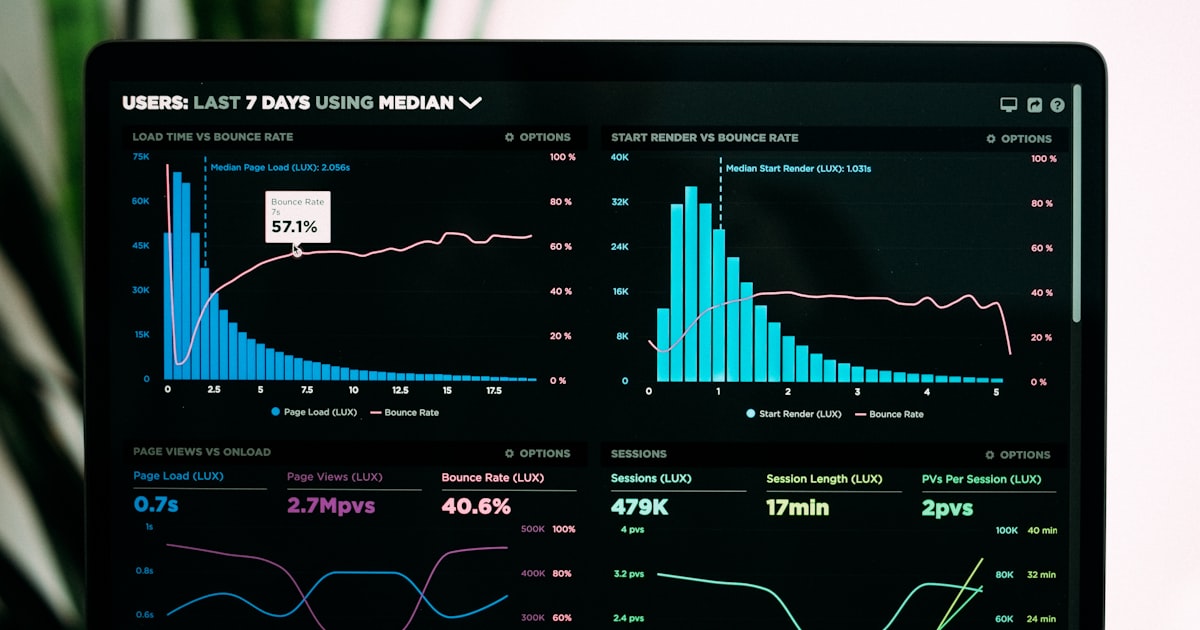
The hidden financial cost of dirty UTM data
A URL parameter is just a few characters appended to a string, but a single misspelled UTM parameter can silently destroy thousands of dollars in marketing analytics. When a marketer types utm_source=Facebok instead of utm_source=facebook, Google Analytics 4 treats them as two entirely separate traffic sources. Your dashboard now shows fragmented data: half your Facebook ad spend is attributed to "Facebok" and the other half to "facebook." You can no longer accurately calculate Cost Per Acquisition (CPA) or Return on Ad Spend (ROAS). Multiply this single typo across dozens of campaigns, multiple team members, and several agencies over a year, and your analytics platform becomes a graveyard of dirty, untrustworthy data. A strict UTM naming convention is not a pedantic bureaucratic rule; it is the foundational financial control mechanism for any company spending money on digital marketing.
Diagram: Anatomy of a convention-compliant UTM string
https://example.com/page
?utm_source=linkedin
&utm_medium=paid_social
&utm_campaign=2026_q2_enterprise_ebook
&utm_content=sponsored_post_v1
&utm_term=b2b_saas_leads
Enforcement Layer:
1. Lowercase only (No exceptions)
2. Underscores for word boundaries
3. No special characters or spaces
4. Prefix with date or category for sorting
The core five parameters and their strict definitions
To build a reliable template, you must strictly define what belongs in each of the five UTM parameters. utm_source identifies the specific platform sending the traffic. This is never a broad category; it is the exact entity. Correct: linkedin, google, newsletter, partner_acme Corp. Incorrect: social, search, email. utm_medium identifies the marketing medium or channel. There is an industry-standard list of accepted mediums you should strictly adhere to: cpc (cost per click), paid_social, email, referral, organic_social, qr_code, cpa (cost per acquisition). utm_campaign is the specific name of the initiative. This is where you have the most flexibility, but it must follow a strict naming hierarchy to keep your GA4 reports sorted logically. utm_term is strictly reserved for paid search keywords. If you are running Google Ads, this is where you pass the exact search term that triggered the ad. utm_content is used to differentiate multiple links within the exact same campaign. If you are A/B testing two different headlines in the same email, utm_content distinguishes the clicks.
The capitalization disaster in Google Analytics 4
The single most destructive force in UTM tracking is case sensitivity. Google Analytics 4 is strictly case-sensitive when processing UTM parameters. utm_source=LinkedIn, utm_source=linkedin, and utm_source=LinkedIn are treated as three distinct, unrelated rows in your GA4 reports. If your social media manager uses one casing, your paid ads agency uses another, and your email tool uses a third, your data is permanently shattered. You cannot merge these rows retroactively in GA4 without using complex regular expressions in Looker Studio, which is a brittle workaround, not a solution. Your UTM naming convention must mandate absolute, enforced lowercase for all values. No capital letters, ever. This rule must be coded into your UTM builder tools so that human error is mathematically eliminated from the process.
Formatting rules: Hyphens, underscores, and the danger of spaces
URLs have strict formatting rules that make certain characters highly destructive. Spaces are not allowed in URLs. If you create a UTM value like utm_campaign=Spring Sale 2026, the browser converts the space to %20, resulting in utm_campaign=Spring%20Sale%202026. While GA4 usually interprets %20 as a space, many analytics parsers, SQL databases, and data warehouse ETL scripts break when encountering percent-encoding in categorical dimensions. Furthermore, the ampersand symbol (&) is the standard URL parameter separator. If you put an ampersand inside a UTM value (e.g., utm_campaign=Smith & Jones), the URL parser assumes the ampersand starts a brand new parameter, severing the rest of your tracking string. The only safe word separator in UTM values is the underscore (_) or the hyphen (-). Pick one and standardize it. Underscores are generally preferred for UTM values because hyphens are sometimes interpreted as minus signs by certain analytics platforms.
Hierarchical naming for sortable GA4 reports
How you name your utm_campaign dictates how your data is sorted in GA4 and Looker Studio. If you name campaigns chronologically (e.g., january_sale, february_sale), they sort alphabetically rather than logically. If you name them by product (e.g., product_a_launch, product_b_launch), you cannot easily compare performance across time. The optimal hierarchical structure prefixes the campaign name with the year, the quarter, the product line, or the objective. Correct hierarchy: 2026_q2_enterprise_ebook, 2026_q2_smb_webinar, 2026_q3_product_launch. Incorrect hierarchy: ebook launch q2 2026, smb webinar - q2. By front-loading the date and category, your GA4 reports automatically group related campaigns together alphabetically, making it trivial to compare Q2 performance against Q3 performance at a glance.
Channel-specific UTM templates
Standardizing across channels requires specific templates tailored to the nuances of each platform. For Paid Social (Facebook, LinkedIn, X), use: utm_source={platform_name}&utm_medium=paid_social&utm_campaign={hierarchical_name}&utm_content={ad_variant_or_placement}. For Email Marketing, use: utm_source=newsletter&utm_medium=email&utm_campaign={newsletter_edition}&utm_content={link_placement_like_header_vs_footer}. For Paid Search (Google Ads), let the platform auto-tag with gclid, but for manual tracking use: utm_source=google&utm_medium=cpc&utm_campaign={campaign_name}&utm_term={target_keyword}. For Partners and Affiliates, use: utm_source={partner_company_name}&utm_medium=affiliate&utm_campaign={co_branded_initiative}. For Offline and QR Codes, use: utm_source=offline&utm_medium=qr_code&utm_campaign={physical_asset_location_or_print_run}. These templates ensure that no matter who creates the link, the output follows the exact same structural logic.
The UTM governance enforcement stack
A template document is useless if humans are allowed to type UTMs manually into URLs. You must build an enforcement stack. Level 1: Eliminate manual creation. Provide a centralized internal UTM builder tool—a simple web form with locked dropdown menus for source and medium. Users should never type these values. Level 2: API validation. If your team uses scripts or APIs to generate bulk links, the API endpoint must reject any request containing uppercase letters, spaces, or unapproved source/medium values. Return a 400 Bad Request error forcing the user to fix the data before the link is created. Level 3: Audit automation. Schedule a weekly script that queries your GA4 API, extracts all unique UTM sources and mediums, and compares them against your approved dictionary. Any rogue values trigger an automated Slack alert to the marketing operations team so the violation can be traced and corrected.
Why you should stop putting UTMs in public URLs
The traditional practice of appending long UTM strings directly to URLs (e.g., example.com/page?utm_source=linkedin&utm_medium=paid_social&utm_campaign=name) creates three major problems. First, it looks ugly and untrustworthy to users, reducing click-through rates. Second, social media platforms like Facebook and LinkedIn actively strip UTM parameters from URLs when users share them natively, destroying your attribution. Third, URLs are logged in browser history, proxy servers, and ISP logs, exposing your internal campaign naming strategies to the public. The modern solution is to use a short link as an intermediary. You configure the short link to carry the UTM data in its backend database. The public sees a clean, short URL. When they click, the shortener server dynamically re-attaches the UTMs during the server-side 302 redirect. The user sees a clean link, social platforms cannot strip the data, and your analytics remain perfectly intact.
Handling legacy data and the migration problem
If you are implementing a strict UTM template for the first time, you will have months or years of historical data in GA4 that uses messy, inconsistent formatting. Do not attempt to rewrite history. You cannot retroactively change the UTMs of past clicks. Instead, isolate the legacy data. In Looker Studio or your data warehouse, create calculated fields that normalize historical data where possible (e.g., using a CASE statement to map "Facebok" to "facebook"). Then, establish a hard cutover date. Communicate to the organization that from this date forward, any link not matching the strict template will not be accepted by the API. Over time, the messy historical data becomes a smaller percentage of your total dataset, and your forward-looking reporting becomes perfectly clean. Do not let the mess of the past prevent you from enforcing perfection for the future.
Advanced: Custom dimensions for UTM failure analysis
Even with strict templates, things break. Links get shared without UTMs, partners mess up the formatting, or tracking scripts fail to fire. To monitor the health of your UTM implementation, set up Custom Dimensions in GA4. Create a custom dimension called "UTM Status" that evaluates the session. If the session arrives with a valid utm_source and utm_medium, set the dimension to "Tracked." If the session arrives with no UTMs but has a referrer, set it to "Missing UTM - Organic/Referral." If the session arrives with no UTMs and no referrer (Direct traffic), set it to "Dark Social or Missing." By analyzing this custom dimension over time, you can measure exactly what percentage of your traffic is properly attributed. If your "Missing UTM" percentage spikes, you immediately know a campaign went out without proper tracking, allowing you to intervene before the data becomes unrecoverable.
FAQ
Can I use spaces in UTM parameters if I URL-encode them?
Technically yes, the browser will convert the space to %20. Practically, no. URL-encoded spaces cause parsing errors in many third-party analytics tools, CRM integrations, and SQL databases. Always use underscores or hyphens instead of spaces.
Why does GA4 show my campaign name split into multiple rows?
This happens when special characters are used. For example, if you use a plus sign (+) in your campaign name, GA4 might interpret it as a space and split the string. Ensure you are only using alphanumeric characters and underscores.
Should I use utm_source or utm_medium for the specific person or influencer?
Never put individual names in utm_source. utm_source should always be the platform (e.g., linkedin, newsletter). If you need to track a specific influencer or sales rep, use utm_content. For example: utm_source=instagram&utm_medium=paid_social&utm_content=influencer_jane_doe.
What happens if I change a UTM template mid-campaign?
You will fragment your data. If you run an ad for a week with utm_campaign=spring_sale and then change it to utm_campaign=2026_spring_sale, GA4 will treat them as two separate campaigns. You cannot merge them natively in GA4. Once a campaign is live, never change its UTM string.
How do we handle UTMs for internal links between our own subdomains?
Google Analytics 4 automatically tracks traffic between your own subdomains as internal traffic if you have configured your referral exclusion list correctly. You generally do not need UTMs for internal links unless you are running specific internal cross-promotion campaigns that you want to track as isolated marketing initiatives.
Conclusion
A UTM naming convention is the grammar of your marketing analytics. Without strict, enforced grammar, the data is gibberish. By mandating absolute lowercase, eliminating spaces and special characters, adopting hierarchical campaign naming, and enforcing the rules through locked builder tools and API validation, you build an analytics infrastructure that provides trustworthy, sortable, and financially actionable data. Stop treating UTMs as an afterthought and start treating them as the critical financial controls they truly are.